 Pixtorium
Paint with any effect
Any effect, filter or transformation can be a brush: blur, sharpen, dodge and burn, an oil painting, a watercolor, rain on glass, a swirl, a mosaic. Choose the Brush, choose a command, and paint it exactly where you want it.
Open beta · try it in your browser
Layers, real photo adjustments and retouching, without the learning curve. Paint with just about any effect, filter or transformation. Ask for an edit in your own words, let on-device AI cut out a subject or remove an object, or hand the whole job to your AI agent.
On a phone? The editor is made for a tablet or a computer; it will open, but the screen is small for it.
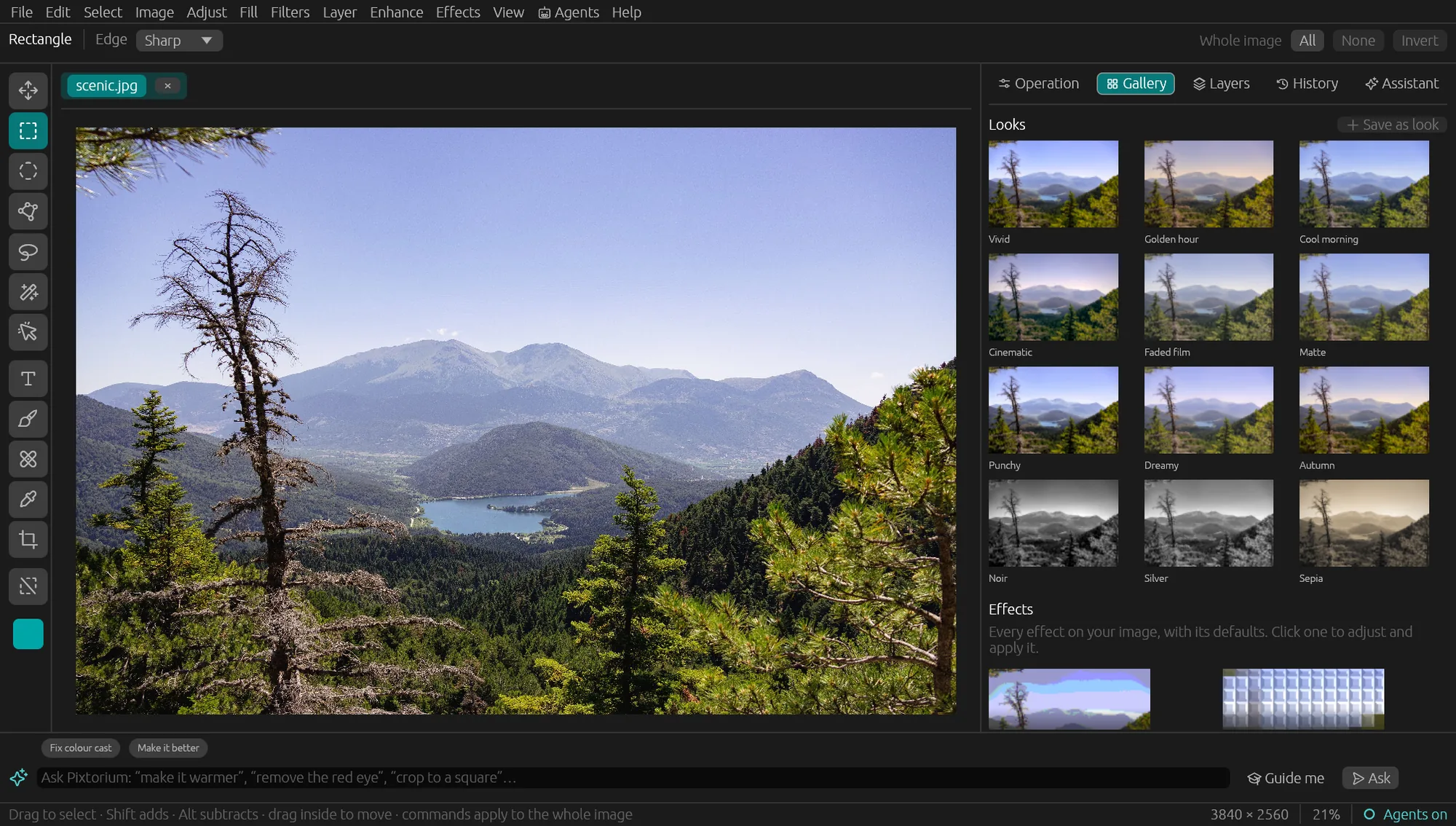
Any effect, filter or transformation can be a brush: blur, sharpen, dodge and burn, an oil painting, a watercolor, rain on glass, a swirl, a mosaic. Choose the Brush, choose a command, and paint it exactly where you want it.
Pixel, text and adjustment layers with masks, opacity and blend modes. Photoshop files open with their layers, masks, shapes, fills and layer styles; anything approximated is named.
Light, Levels, Curves, white balance, clarity, color grading and more, in a floating-point, linear-light pipeline. One-click looks at any strength.
Select a subject, remove a background or an object, add depth of field, enlarge. The models run on your computer; your images never leave it.
“Make it warmer”, “crop to a square”. The assistant edits with the same tools you have, and every step lands in History, ready to undo.
Open the editor and start. Your settings and open images are kept on your own machine, ready when you come back.
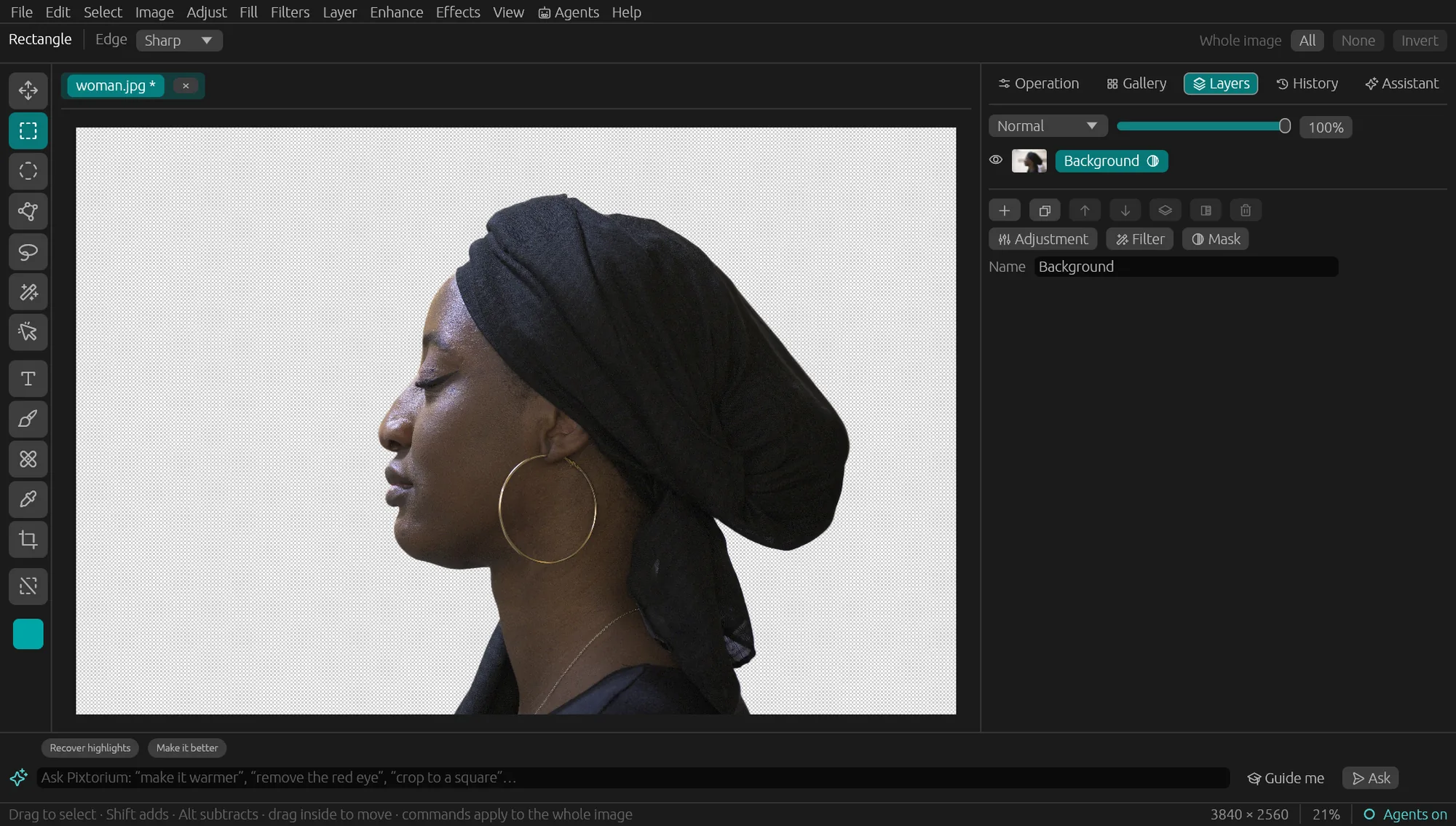
Remove background puts the subject on a layer mask, so you can refine the edge with a brush or bring the background back at any time. Hair and jewelry included.
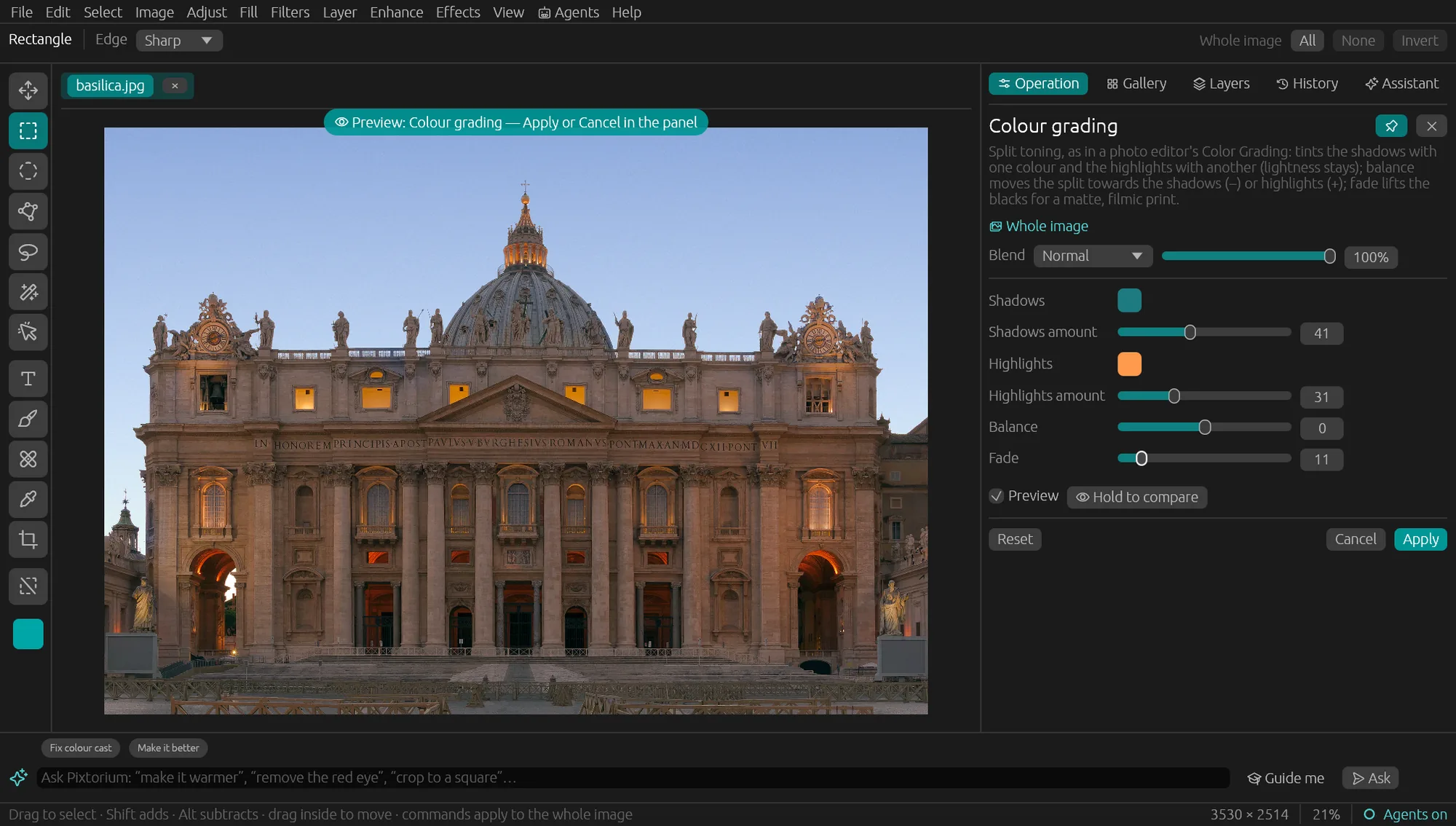
Every operation opens in a panel with a live preview on your photo, a blend mode and opacity, and works through the selection's soft edge. Hold to compare, then apply.
Pixtorium speaks MCP, the open protocol AI agents use for tools. Turn on Agents in the desktop app and the agent works on the images you have open, step by step, while you watch, and every step can be undone.
claude mcp add --transport http pixtorium http://127.0.0.1:8737/mcpcodex mcp add pixtorium --url http://127.0.0.1:8737/mcpOne click: Agents › Add to Claude Desktop.
The editor listens on this computer only; nothing is exposed to the internet.
| Browser | Desktop | |
|---|---|---|
| Layers, adjustments, effects, retouching | ✓ | ✓ |
| Photoshop and OpenRaster files | ✓ | ✓ |
| Built-in AI tools that run in the app: select subject, remove background, select object, remove object, lens blur, enlarge | — | ✓ |
| Ask in words, with a model on your own computer (Ollama, LM Studio, llama.cpp) or your own key from Anthropic, OpenAI, Google, DeepSeek and more | ✓ | ✓ |
| Add or replace things with a picture model (Google, OpenAI, or a server on your computer) | ✓ | ✓ |
| AI agents over MCP | — | ✓ |
Use it in your browser as much as you like: no account, no subscription, no trial. The desktop app will be a single purchase, never a subscription.
Open the editorWhat each editor costs and where it runs, as of October 2026, from the makers' own pages.
| Pixtorium | Photoshop | Affinity | Pixelmator Pro | |
|---|---|---|---|---|
| The editor | Free in the browser; the desktop app a single purchase | $22.99 a month, with an annual commitment | Free, with a free Canva account | $49.99 once, or $12.99 a month in a bundle |
| Generative AI | Your own key at the provider's price, or a model on your computer, free | 250 credits a month included; more by plan | Needs a paid Canva plan | None; on-device tools such as background removal |
| Works without an account | ✓ | — | — | ✓ |
| Runs in the browser | ✓ | ✓ | — | — |
| Runs on Linux | ✓ | — | — | — |
| Your AI agent can drive it (MCP) | ✓, on your computer | Through Adobe's hosted connector | — | — |
A dash means we found no such thing. Prices are in US dollars and change; check the maker's page before you buy. Spot something wrong? Write to support@yovico.ai and we will fix it.
The assistant uses two. A chat model reads what you ask, looks at the picture, decides what to do and uses the editor's own tools: it makes the photo warmer, selects the dog, removes the sign, and shows you every step in History. A picture model paints: when you ask to add or replace something ("put a boat on the lake", "replace the sky"), the chat model selects where, the picture model fills it in, and the chat model checks the result before it answers.
You need the chat model to ask in words at all. You need a picture model only for adding or changing things; with it alone you also get Edit › Generative fill, Image › Generative expand and File › New from a description, which need no chat model. Everything else, including removing objects and backgrounds, runs on your computer without either.
In the editor, open the Assistant tab and its model settings (the gear). The top part is the chat model: a provider, your key if it needs one, and the model. Below it, Pictures chooses the picture model: Google Gemini, OpenAI, or a server on your computer, with its key or its address. Each key stays on your device and is sent only to its own provider.
Desktop app: Automatic uses Ollama's Gemma if Ollama runs on your computer, otherwise a built-in model (Gemma 4 E4B) that downloads once and then works offline. Or pick a provider and paste your own key: Anthropic, OpenAI, Google, DeepSeek, OpenRouter and others.
In the browser there is no built-in model: paste a provider's key, or point it at a model server running on your computer (Ollama, LM Studio, llama.cpp).
To find things in a picture, the model has to be able to see pictures; in our tests DeepSeek and Gemma 4 did, and bigger models point more precisely than small ones.
Google Gemini or OpenAI: paste your key under Pictures. A picture costs a few cents, billed by them, pay as you go.
On your own computer, free: run stable-diffusion.cpp's
sd-server with an editing model such as
FLUX.2 klein 4B (Apache-2.0). At 4 bits it is three files, about
5 GB, and needs a graphics card with 6 GB of memory. Then choose
"A server on this computer" under Pictures.
sd-server --diffusion-model flux-2-klein-4b-Q4_0.gguf --llm qwen3-4b-Q4_K_M.gguf --vae flux2-vae.safetensors --cfg-scale 1.0 --steps 4 --sampling-method euler --listen-port 1234
The files: flux-2-klein-4b-Q4_0.gguf from leejet/FLUX.2-klein-4B-GGUF,
Qwen3-4B-Q4_K_M.gguf from unsloth/Qwen3-4B-GGUF and the VAE
from black-forest-labs/FLUX.2-klein-4B, all on Hugging Face; stable-diffusion.cpp is on GitHub.
Besides the two above, the desktop app uses small models that run on your computer for particular jobs. Each downloads once, when you first use it, from the Assistant panel's models list:
None of these sends anything anywhere. The browser version does not run them yet; it has everything else.
MCP is the open protocol AI agents use to work with tools. The desktop app can serve its editing tools over it (Agents › Let AI agents edit), on this computer only, so an agent you already use, such as Claude Code, Codex or Claude Desktop, can open your pictures, look at them, select, apply any operation, and save, with the same on-device models and the same History you see. The built-in assistant is such an agent too; an outside one can do longer jobs: "open these forty photos, straighten and export them for the web", or things you script. If you set a picture model, an agent with a model of its own can still hand it the selected area and put the result back as a layer.
The web editor is free, with no account. A hosted chat model costs fractions of a cent per request; a hosted picture model a few cents per picture; models on your own computer cost nothing. When you use a provider, only what is needed goes to it: your words, a small preview the chat model looks at, and for a picture model the part of the picture being edited. With models on your computer, nothing leaves it.
We think a good image editor should be approachable before it is powerful, keep your pictures on your own computer, and work as well for an AI agent as it does for you.
It is in open beta: tell us what breaks, what is missing and what you would pay for.
Pixtorium is ideologically rooted in Picture Man, a popular image editor from the 90s that Igor Plotnikov, Pixtorium's author, helped develop early in his career (Picture Man on GitHub).
This site sets no cookies and runs no analytics scripts. Our web server keeps standard access logs (your IP address, the page, your browser and where you came from) for 90 days, and we use them to count visits. The editor keeps your settings and open images in your own browser or on your own computer. If you give the assistant an API key, your requests go straight to the provider you chose, never through us.
Feedback and help: support@yovico.ai