 Pixtorium
Open beta · free in your browser
An editor for HDR photos
Pixtorium opens the HDR photos your phone takes, keeps their highlights brighter than white, lets you edit them there, and saves a file that still looks right on screens without HDR. It all runs on your own computer.
On an HDR screen
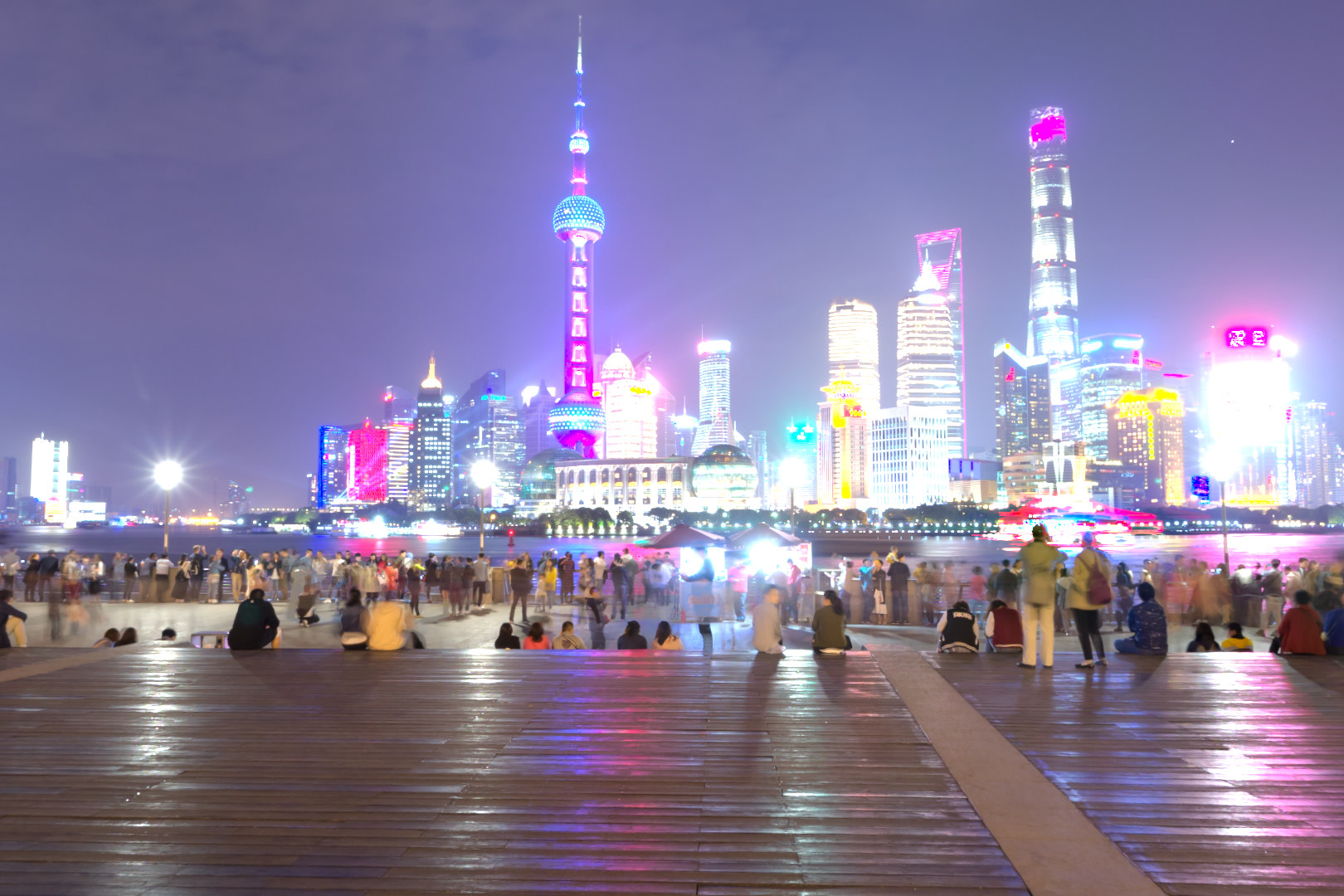
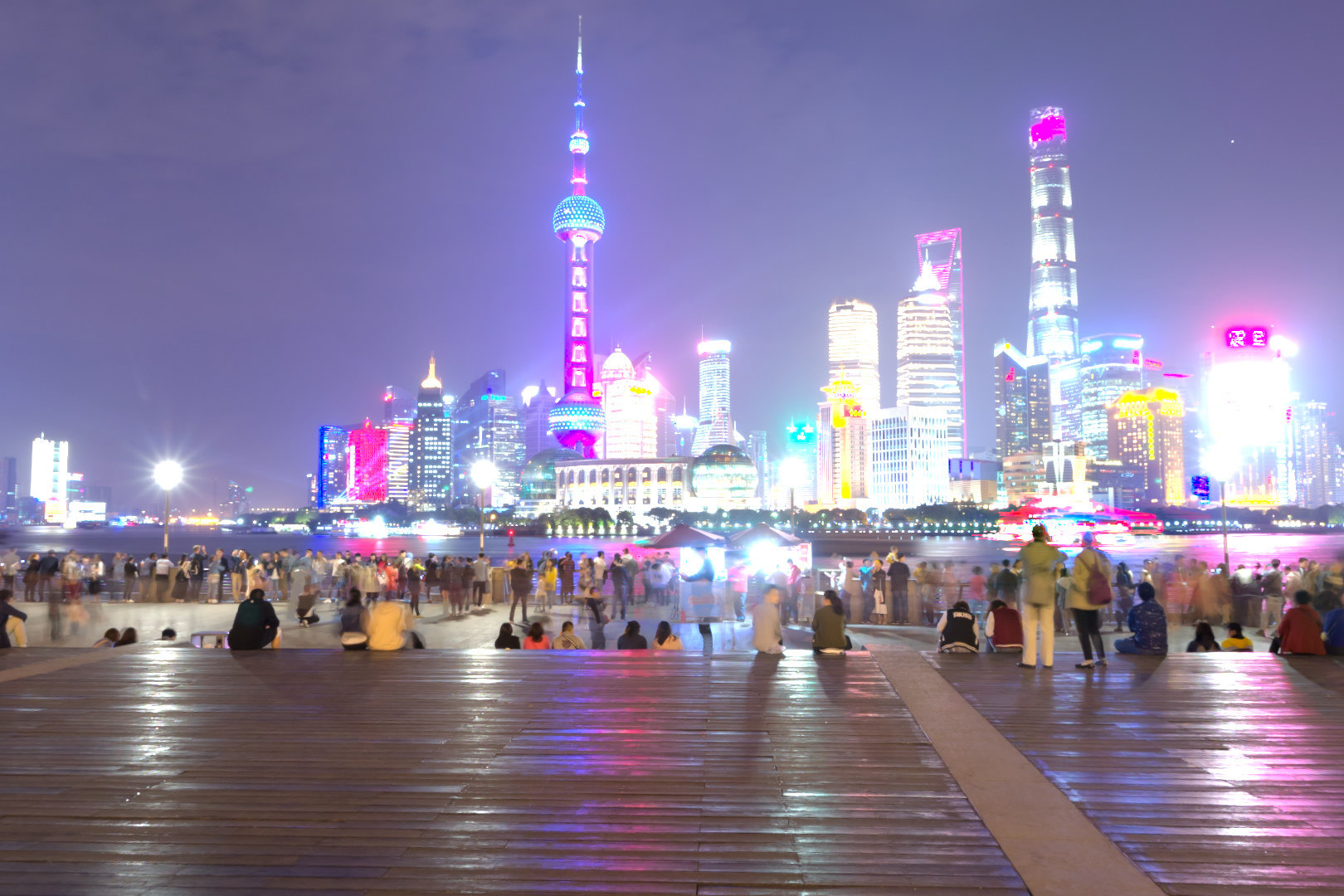 Ordinary screenWith HDR light
Both sides are one photo, an Ultra HDR JPEG made with Pixtorium; drag the line to compare. On a screen that shows HDR, the lights on the right shine brighter than the white of this page.
Your screen reports HDR. If the right half looks no brighter, your browser does not show HDR photos yet (see below).
Your screen does not report HDR, so both halves look alike here. That is how the file is meant to behave: nobody sees a broken picture.
How much brighter depends on the screen and on its brightness setting: the lower the brightness, the more room there is above white.
Where it works: Safari 26 or later on a Mac, iPhone or iPad, and Chrome or Edge 116 or later on a Mac or a Windows PC, each on an HDR-capable screen. Firefox shows the plain picture for now.
Photo: the Bund at night, from bracketed exposures (Poly Haven, CC0).
Open them as they were taken
- iPhone photos (HEIC, with Apple's HDR gain map or an ISO 21496-1 one) open with their HDR light.
- Android's Ultra HDR JPEGs, and Adobe and Apple gain-map JPEGs, open the same way.
- Display P3 and other wide-gamut colors are kept, not squeezed into sRGB.
- A file Pixtorium cannot read as HDR opens as an ordinary picture and says so.
- AVIF photos with a gain map and HDR AVIF files (in the desktop apps), and OpenEXR files, open the same way.
Edit above white
- Image › Mode › 32 Bits/Channel: highlights brighter than white survive Light, white balance, vibrance, clarity and dehaze, which are computed in floating-point, linear light.
- View › HDR view shows the picture 1 to 4 stops darker, so you can see and judge the highlights on any screen.
- On a Mac with an HDR screen, and in Chrome or Edge with WebGPU on an HDR screen, the light shines above white. Elsewhere it is shown at white for now.
Save it so it works everywhere
Saving a picture that holds light as a JPEG writes an Ultra HDR file: HDR screens and browsers show it bright, and every other viewer shows the picture as you saw it. As AVIF (in the desktop apps) it writes the same thing in an AVIF file, or an HDR AVIF if you choose it in Export, and OpenEXR keeps the light as it is. A picture with nothing above white is saved as an ordinary file.
Good to know
Pixtorium is in open beta. Not yet: AVIF in the browser editor, and HDR screens on Windows and Linux. File › Open a sample has Shanghai at night in HDR to try it.