 Pixtorium
Paint with any effect
Any effect, filter or transformation can be a brush: blur, sharpen, dodge and burn, an oil painting, a watercolor, rain on glass, a swirl, a mosaic. Choose the Brush, choose a command, and paint it exactly where you want it.
Open beta · try it in your browser
Layers, real photo adjustments and retouching, without the learning curve. Paint with just about any effect, filter or transformation. Ask for an edit in your own words, let the desktop app's on-device AI cut out a subject or remove an object, or hand the whole job to your AI agent.
On a phone? The editor is made for a tablet or a computer; it will open, but the screen is small for it.
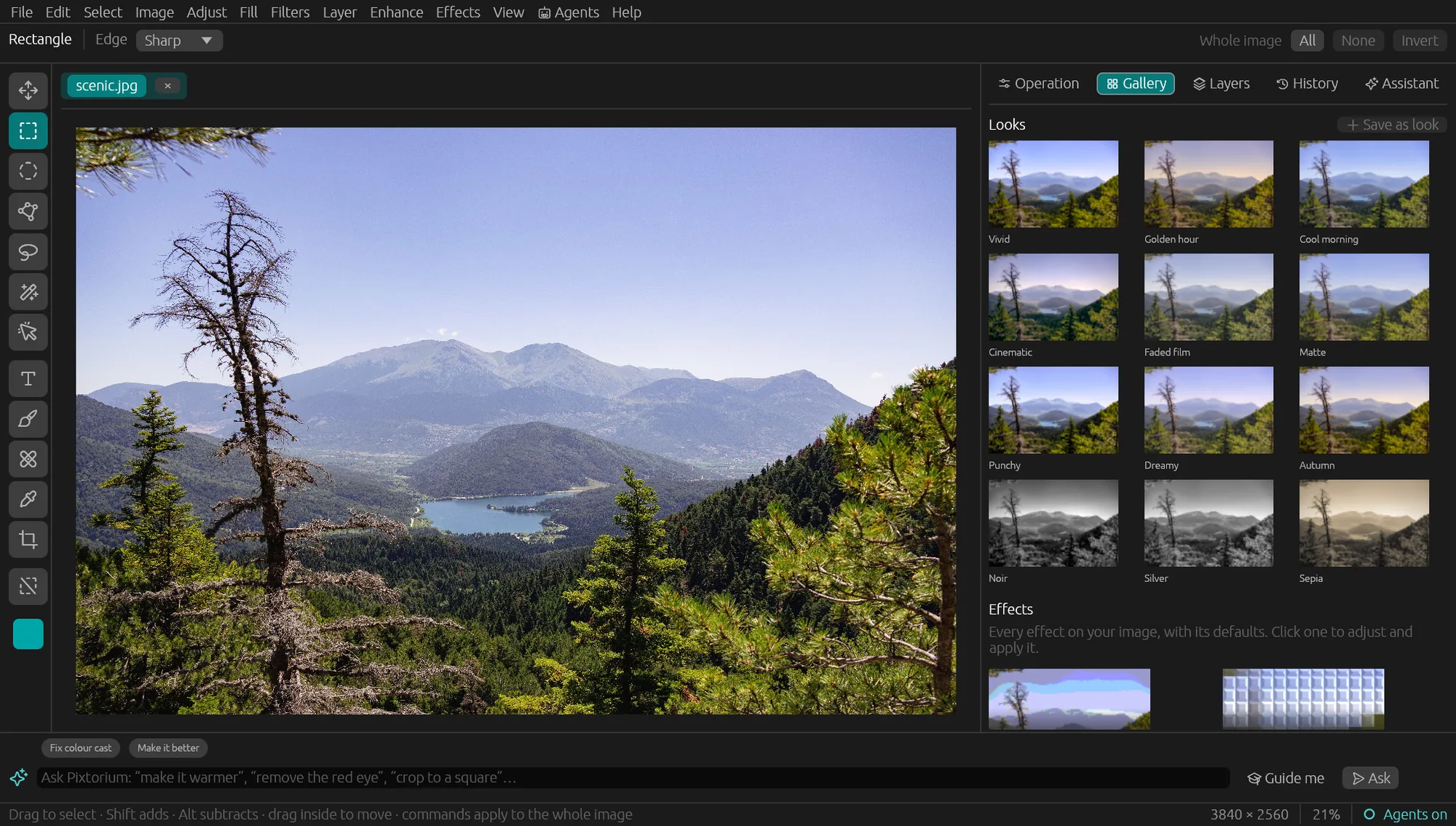
Any effect, filter or transformation can be a brush: blur, sharpen, dodge and burn, an oil painting, a watercolor, rain on glass, a swirl, a mosaic. Choose the Brush, choose a command, and paint it exactly where you want it.
Pixel, text and adjustment layers with masks, opacity and blend modes. Photoshop files open with their layers, masks, shapes, fills and layer styles; anything approximated is named.
Light, Levels, Curves, white balance, clarity, dehaze, color grading and more. Light, white balance, vibrance, clarity and dehaze are computed in floating-point, linear light. One-click looks at any strength. HDR photos (iPhone HEIC, Ultra HDR and Apple gain-map JPEGs) open with their HDR light and save back as Ultra HDR.
Select a subject, or anything you name in a few words; find a person's hair, skin and clothes; remove a background, an object or text; colorize a black-and-white photo; draw a photo as a pen sketch; remove JPEG blocks; retouch faces; flatten a photographed page; add depth of field; enlarge. Most AI effects preview like any other, and Denoise, Colorize and Line drawing can be painted with the brush. The models run on your computer; your images never leave it.
“Make it warmer”, “crop to a square”. The assistant edits with the same tools you have, and every step lands in History, ready to undo.
Open the editor and start. Your settings and open images are kept on your own machine, ready when you come back.
Ask for 200 KB, or any size: Export finds the best quality that fits, and shows the result before you save it.
Choose the country's size, a white background and a file size. In the desktop app one step finds the face and sets the head size.
Instagram, Stories, YouTube, Pinterest, marketplaces: each copy cut to its exact size, the product centered on white, one picture for every place.
Convert, resize, cut out backgrounds, add a watermark or a shadow, keep the file names: hundreds of pictures in one go in the desktop app.
Cover faces, plates and text so they cannot be brought back, and leave the camera and location details out of the file.
Start from a layout in your colors, font and logo. The words stay editable, and one design makes a copy for each platform.
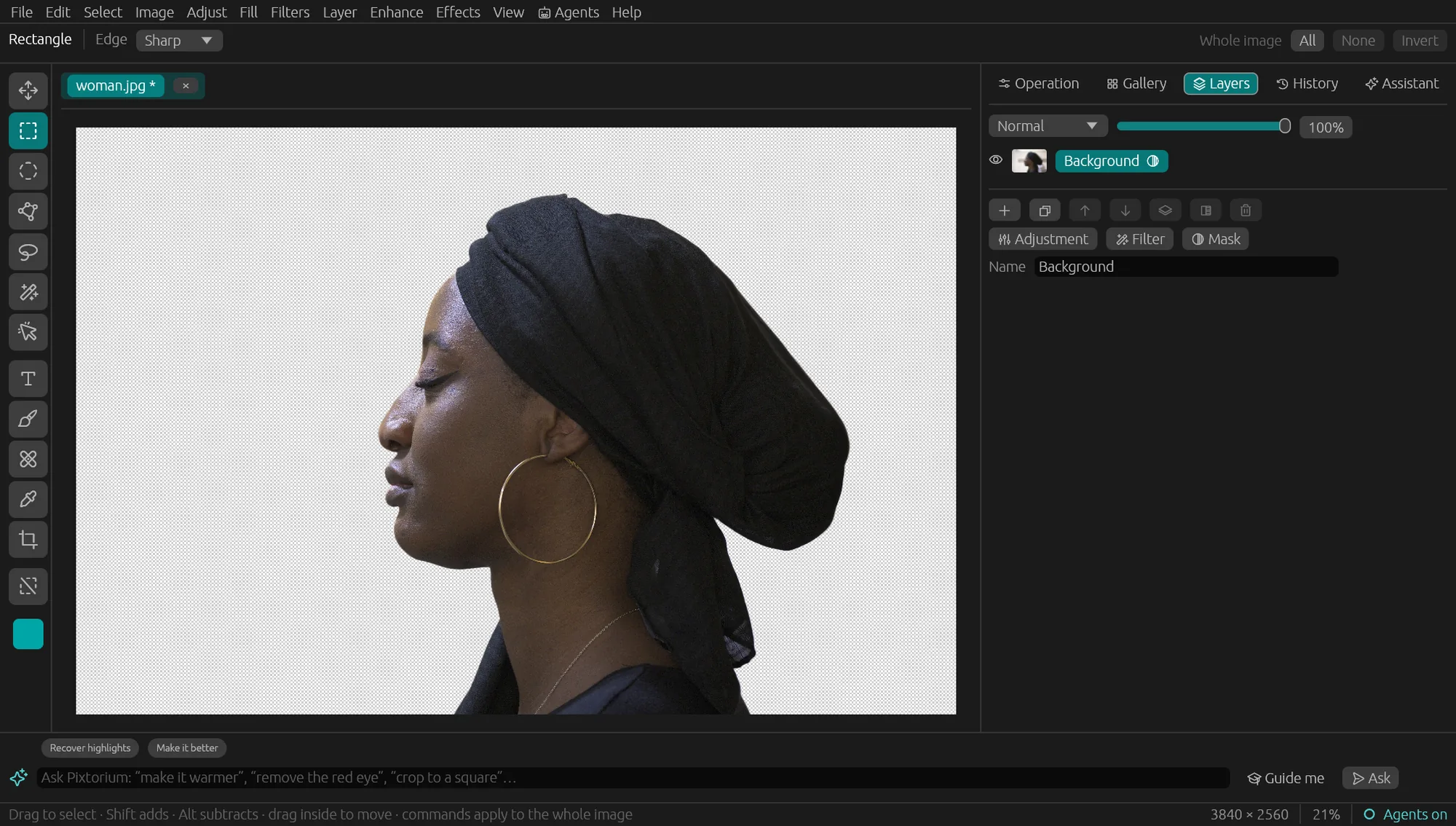
Remove background puts the subject on a layer mask, so you can refine the edge with a brush or bring the background back at any time. Hair and jewelry included.
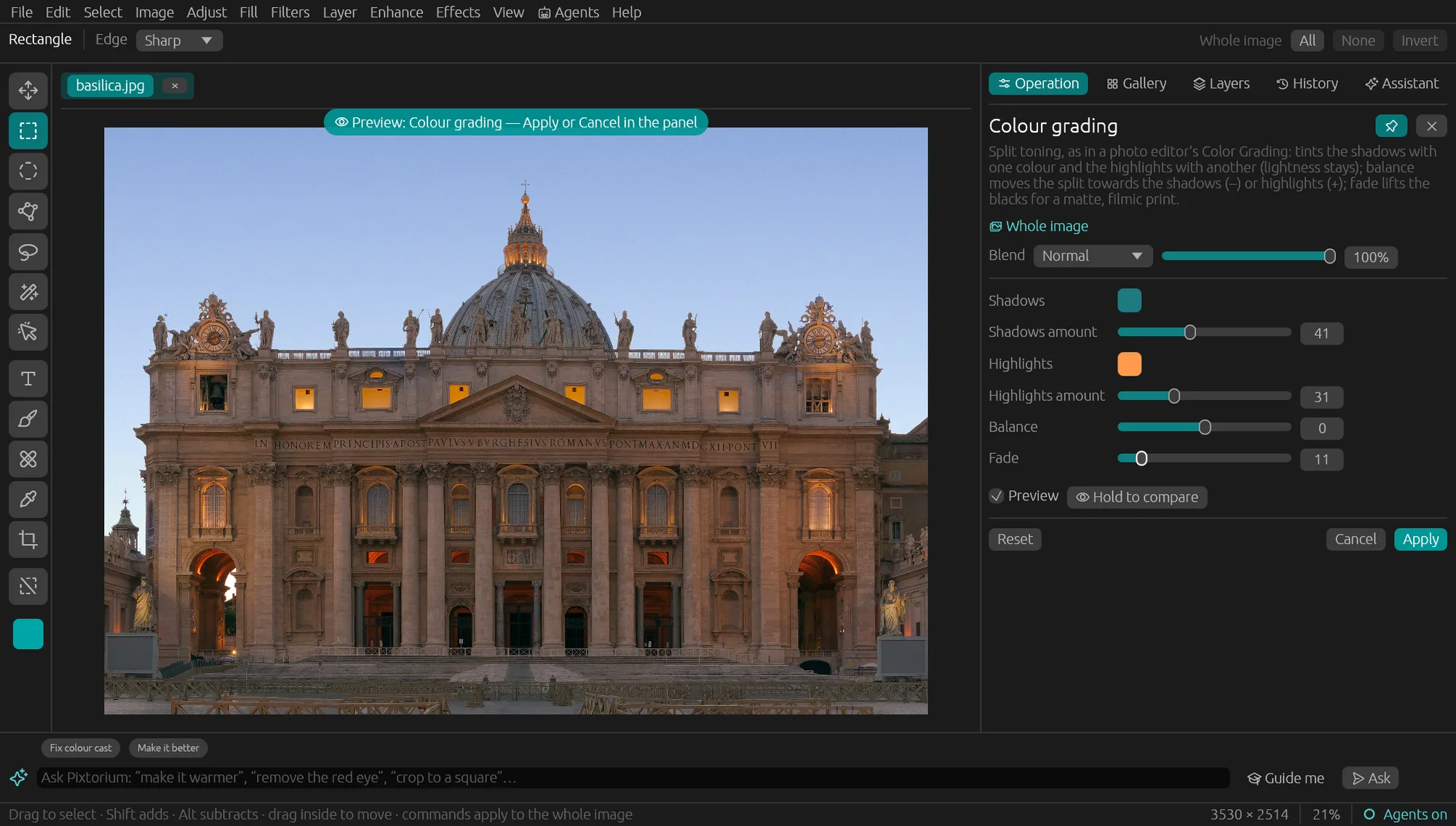
Every operation opens in a panel with a live preview on your photo, a blend mode and opacity, and works through the selection's soft edge. Hold to compare, then apply.
Open the HDR photos your phone takes with their highlights brighter than white, edit them there, and save a file that still looks right on every screen. Drag the line: on an HDR screen, the lights of the city shine brighter on the right than on the left.
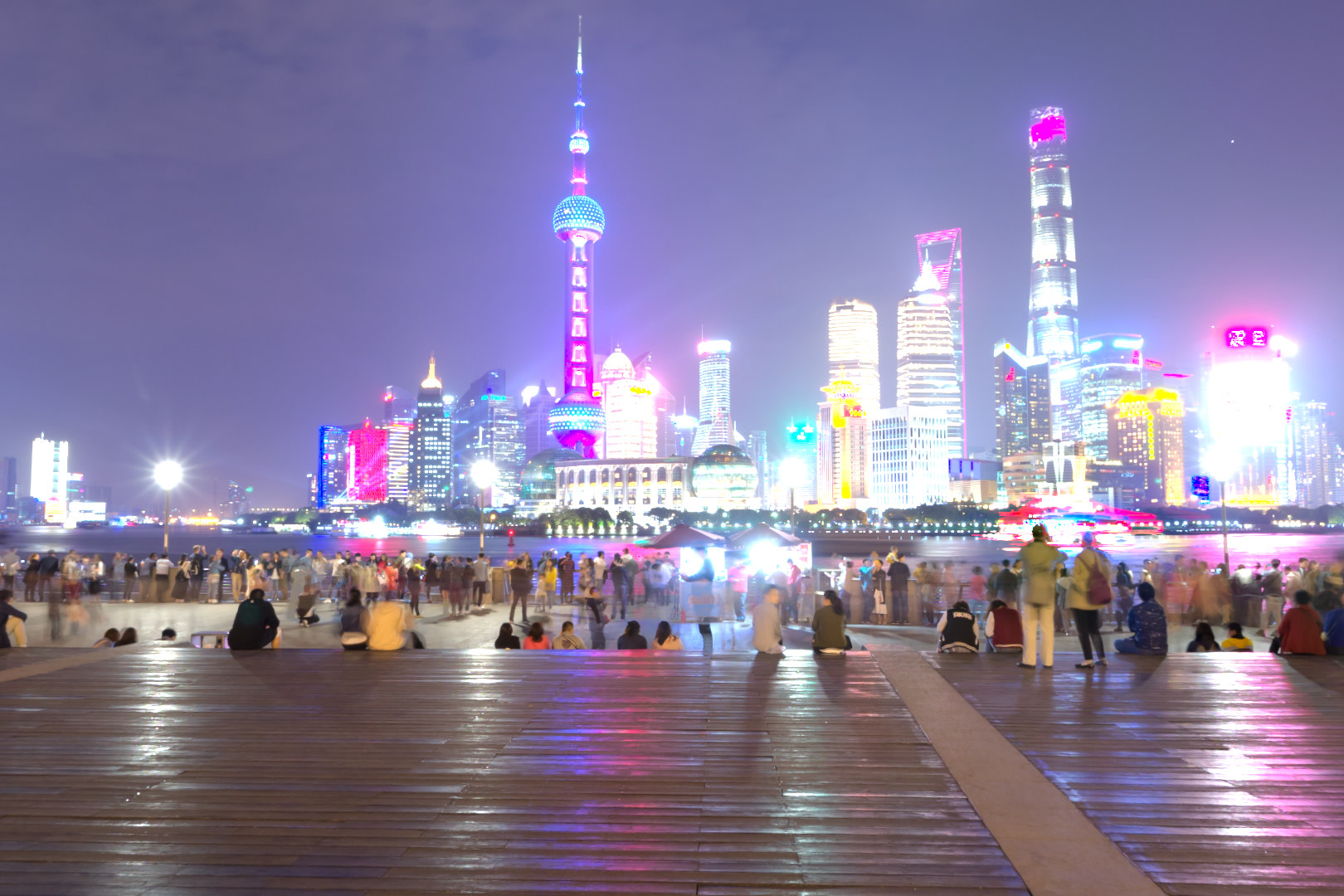
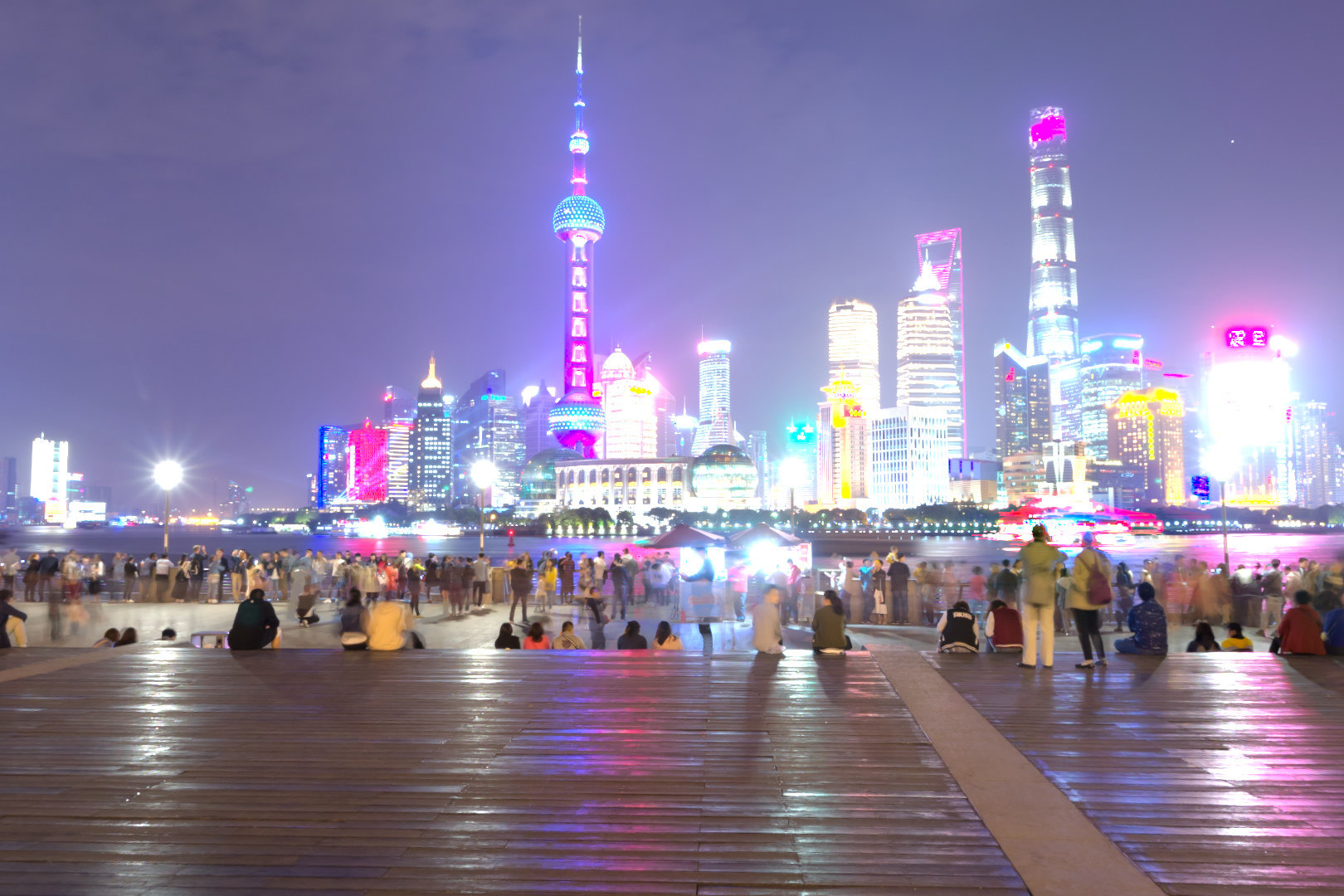 Ordinary screenWith HDR light
Pixtorium speaks MCP, the open protocol AI agents use for tools. Turn on Agents in the desktop app and the agent works on the images you have open, step by step, while you watch, and every step can be undone.
claude mcp add -s user --transport http pixtorium http://127.0.0.1:8737/mcpcodex mcp add pixtorium --url http://127.0.0.1:8737/mcpOne click: Agents › Add to Claude Desktop.
The editor listens on this computer only; nothing is exposed to the internet.
| Browser | Desktop | |
|---|---|---|
| Layers, adjustments, effects, retouching | ✓ | ✓ |
| Photoshop and OpenRaster files | ✓ | ✓ |
| Built-in AI tools that run in the app: select subject, select by words, select person, all text and remove text, remove background, remove object, lens blur, denoise, colorize, line drawing, remove JPEG artifacts, scan document, enlarge, beauty | — | ✓ |
| Ask in words, with a model on your own computer (Ollama, LM Studio, llama.cpp) or your own key from Anthropic, OpenAI, Google, DeepSeek and more | ✓ | ✓ |
| Add or replace things with a picture model (Google, OpenAI, or a server on your computer) | ✓ | ✓ |
| AI agents over MCP | — | ✓ |
In the browser, a model or picture server on your own computer works only when the browser lets the page reach your local network (Chrome and Edge ask first).
Use it in your browser as much as you like: no account, no subscription, no trial. The desktop app is a free open beta now and will become a single purchase, never a subscription. It adds the on-device AI and runs the heavy effects 5 to 25 times faster; the browser lists those commands, marked Desktop.
What each editor costs and where it runs, as of October 2026, from the makers' own pages.
| Pixtorium | Photoshop | Affinity | Pixelmator Pro | |
|---|---|---|---|---|
| The editor | Free in the browser; the desktop app a single purchase | $22.99 a month, with an annual commitment | Free, with a free Canva account | $49.99 once, or $12.99 a month in a bundle |
| Generative AI | Your own key at the provider's price, or a model on your computer, free | 250 credits a month included; more by plan | Needs a paid Canva plan | None; on-device tools such as background removal |
| Works without an account | ✓ | — | — | ✓ |
| Runs in the browser | ✓ | ✓ | — | — |
| Runs on Linux | ✓ | — | — | — |
| Your AI agent can drive it (MCP) | ✓, on your computer | Through Adobe's hosted connector | — | — |
A dash means we found no such thing. Prices are in US dollars and change; check the maker's page before you buy. Spot something wrong? Write to support@yovico.ai and we will fix it.
The assistant uses two. A chat model reads what you ask, looks at the picture, decides what to do and uses the editor's own tools: it makes the photo warmer, selects the dog, removes the sign, and shows you every step in History. A picture model paints: when you ask to add or replace something ("put a boat on the lake", "replace the sky"), the chat model selects where, the picture model fills it in, and the chat model checks the result before it answers.
You need the chat model to ask in words at all. You need a picture model only for adding or changing things; with it alone you also get Edit › Generative fill, Image › Generative expand and File › New from a description, which need no chat model. Everything else, including removing objects and backgrounds, runs on your computer without either.
In the editor, open the Assistant tab and its model settings (the gear). The top part is the chat model: a provider, your key if it needs one, and the model. Below it, Pictures chooses the picture model: Google Gemini, OpenAI, or a server on your computer, with its key or its address. Each key stays on your device and is sent only to its own provider.
Desktop app: Automatic uses Ollama's Gemma if Ollama runs on your computer, otherwise a built-in model (Qwen3-VL 4B) that downloads once and then works offline. Or pick a provider and paste your own key: Anthropic, OpenAI, Google, DeepSeek, OpenRouter and others.
In the browser there is no built-in model: paste a provider's key, or point it at a model server running on your computer (Ollama, LM Studio, llama.cpp). For that the server must accept requests from this site (for Ollama, set OLLAMA_ORIGINS), and the browser must let the page reach your computer's local network: Chrome and Edge ask first, or you allow "Local network access" in the site's settings. Some browsers do not allow it at all; then use the desktop app.
In the desktop app, the finding models (Florence-2 and SAM 2.1, a one-time download of about 1 GB) find things in the picture on your computer for whichever model you use, even one that cannot see pictures. In the browser the model itself has to see pictures (Gemma 4, Claude, GPT and Gemini do), and bigger models point more precisely than small ones.
Google Gemini or OpenAI: paste your key under Pictures. A picture costs a few cents, billed by them, pay as you go.
On your own computer, free: run stable-diffusion.cpp's sd-server with an editing model such as FLUX.2 klein 4B (Apache-2.0). At 4 bits it is three files, about 5 GB, and needs a graphics card with 6 GB of memory. Then choose "A server on this computer" under Pictures.
sd-server --diffusion-model flux-2-klein-4b-Q4_0.gguf --llm Qwen3-4B-Q4_K_M.gguf --vae flux2-vae.safetensors --cfg-scale 1.0 --steps 4 --sampling-method euler --listen-port 1234
The files: flux-2-klein-4b-Q4_0.gguf from leejet/FLUX.2-klein-4B-GGUF, Qwen3-4B-Q4_K_M.gguf from unsloth/Qwen3-4B-GGUF and the VAE from black-forest-labs/FLUX.2-klein-4B, all on Hugging Face; stable-diffusion.cpp is on GitHub.
Besides the two above, the desktop app uses small models that run on your computer for particular jobs. Each downloads once: the first time a command needs it (from a menu, the assistant or an AI agent), Pixtorium offers the download, then runs the command:
None of these sends anything anywhere. The browser version does not run them: it lists those commands marked Desktop and says what the desktop app does with them. Select sky, Refine edge and batch processing are desktop-only for now too.
MCP is the open protocol AI agents use to work with tools. The desktop app can serve its editing tools over it (Agents › Let AI agents edit), on this computer only, so an agent you already use, such as Claude Code, Codex or Claude Desktop, can open your pictures, look at them, select, apply any operation, and save, with the same on-device models and the same History you see. The built-in assistant is such an agent too; an outside one can do longer jobs: "open these forty photos, straighten and export them for the web", or things you script. If you set a picture model, an agent with a model of its own can still hand it the selected area and put the result back as a layer.
The web editor is free, with no account. A hosted chat model costs fractions of a cent per request; a hosted picture model a few cents per picture; models on your own computer cost nothing. When you use a provider, only what is needed goes to it: your words, a small preview the chat model looks at, and for a picture model the part of the picture being edited. With models on your computer, nothing leaves it.
We think a good image editor should be approachable before it is powerful, keep your pictures on your own computer, and work as well for an AI agent as it does for you.
It is in open beta: tell us what breaks, what is missing and what you would pay for.
Pixtorium is ideologically rooted in Picture Man, a popular image editor from the 90s that Igor Plotnikov, Pixtorium's author, helped develop early in his career (Picture Man on GitHub).
This site sets no cookies and runs no analytics scripts. Our web server keeps standard access logs (your IP address, the page, your browser and where you came from) for 90 days, and we use them to count visits. The editor keeps your settings and open images in your own browser or on your own computer. If you give the assistant an API key, your requests go straight to the provider you chose, never through us. Pixtorium does not collect your pictures and never uses them to train a model: it has no analytics, crash reports or update checks, and the AI models it downloads run on your computer. A picture, or part of one, leaves your computer only when you set up an AI service with your own key, and then it goes to that service, under its terms, never through us.
Feedback and help: support@yovico.ai